
Custom Business Applications & Integrations
When spreadsheets, paper, and retyping start slowing your team down, a custom tool can take that work off their plate. BIT builds web applications around your actual workflow, one useful piece at a time.
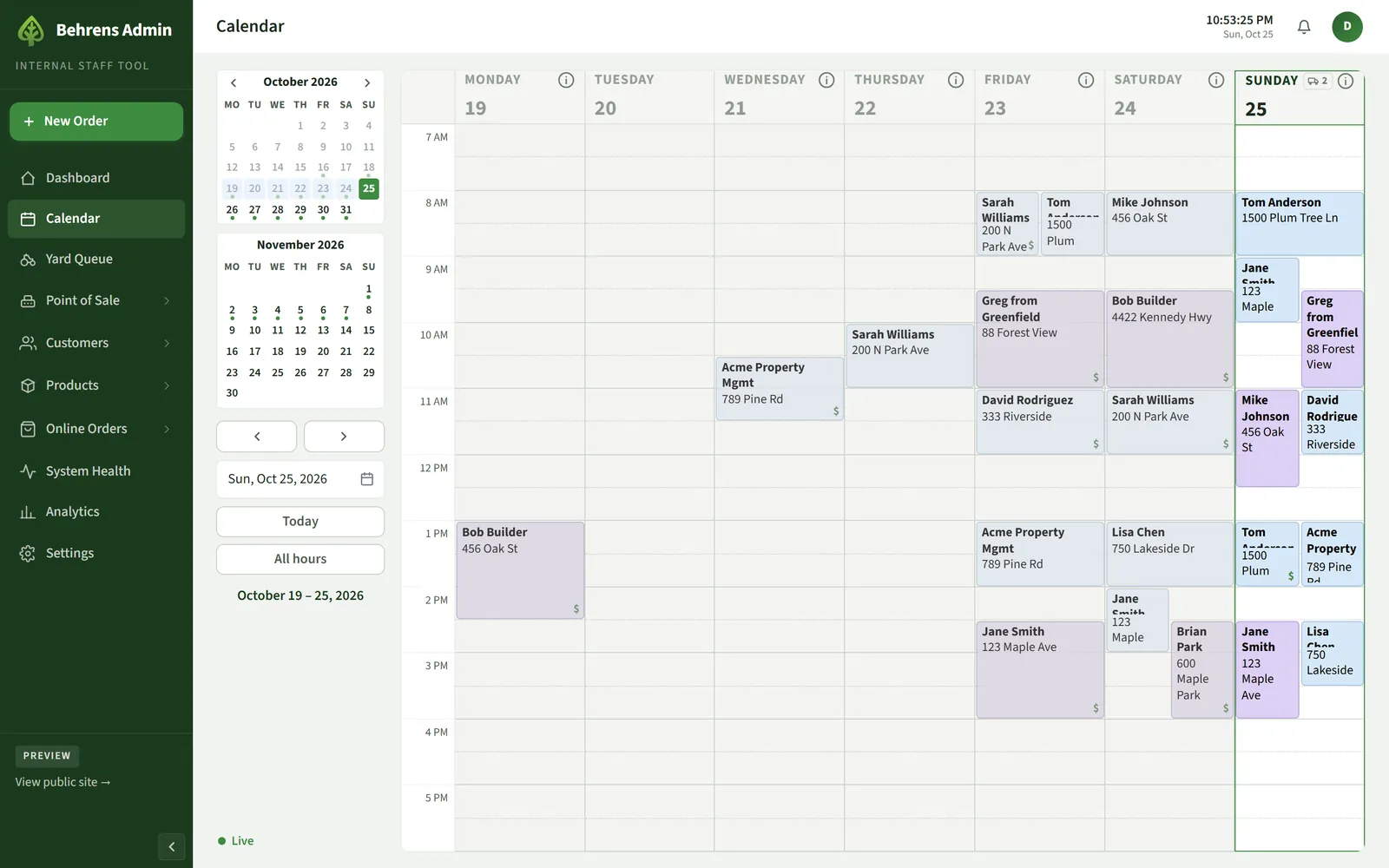
How it works
We start with the job that costs the most time, like taking orders, scheduling deliveries, tracking customers, or closing out the day. Once that works, we add the next piece.
The tools run in a web browser on the devices you already have, connect to services you already use, and can bring your old records along.
What BIT can help with
Your project includes only the pieces you need.
Orders, invoicing, and scheduling
Order entry that creates the invoice and puts the job on a shared calendar.
Customer records
Contact details, job sites, order history, and account balances in one place.
Point of sale
A counter register connected to your card readers, with receipts and end-of-day closeout.
Inventory and reports
Stock counts, receiving, and the reports you check every week.
Integrations
Connections to payment devices, maps and distance pricing, email, and other services you use.
Data migration
Bringing records forward from an old system, checked against the original.
- A register that replaced QuickBooks Point of Sale.
- Order entry with a live truck schedule and a drag-to-reschedule calendar.
- Customer records with invoices, history, and house accounts.
- Clover card readers at the counter and in the yard, checked against the books nightly.
- 19 years of QuickBooks sales history imported and checked.
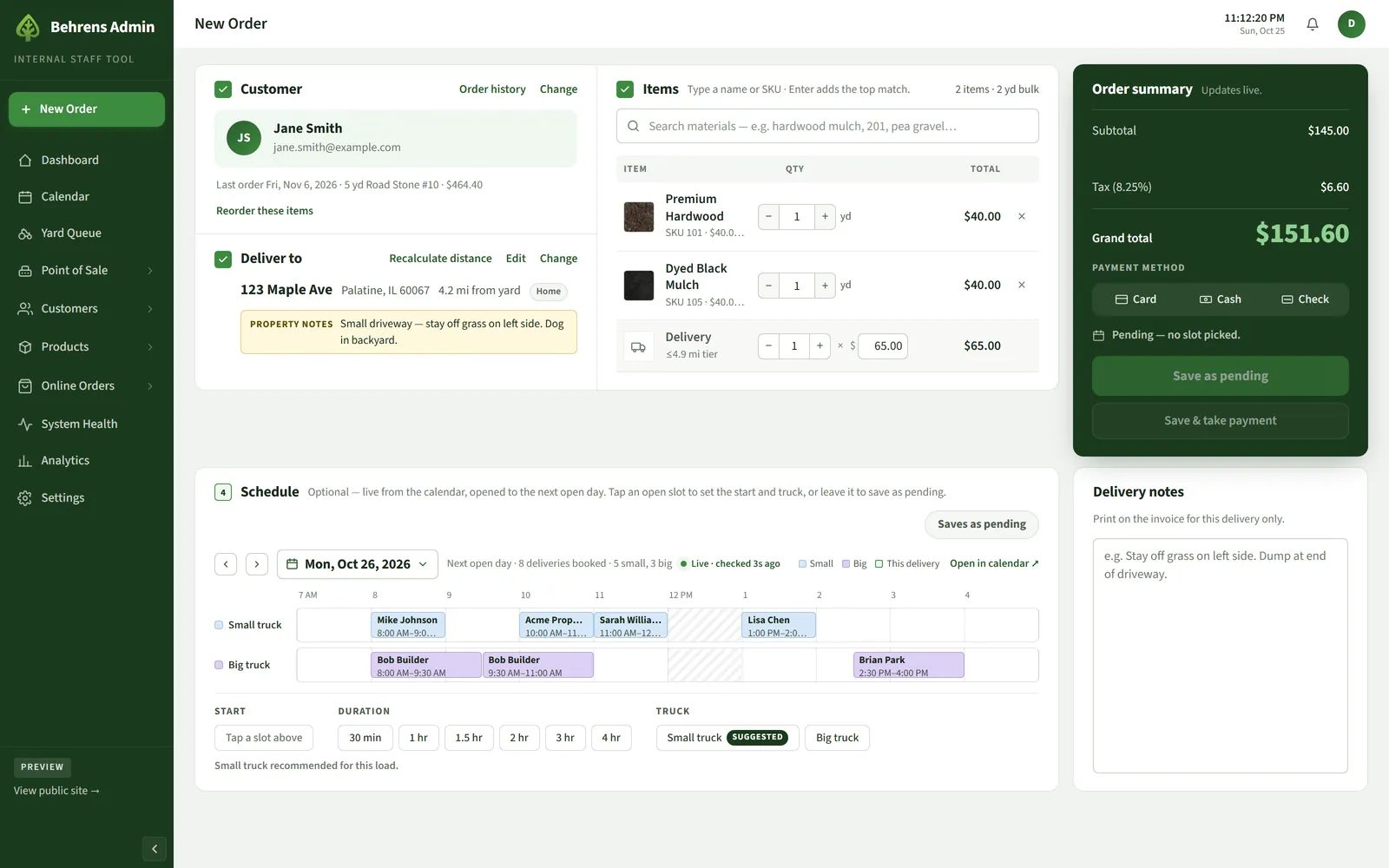
What you’re looking at 5 notes
- Last order and reorder. Choosing a customer shows their last order, ready to repeat in one click.
- Property notes. Notes about the site follow the address onto the delivery ticket.
- Delivery fee. Priced automatically from the driving distance to the yard.
- Live totals. Subtotal, sales tax, and grand total update as items change.
- Open truck slots. The next open day’s schedule, live from the calendar, with the right truck suggested for the load.
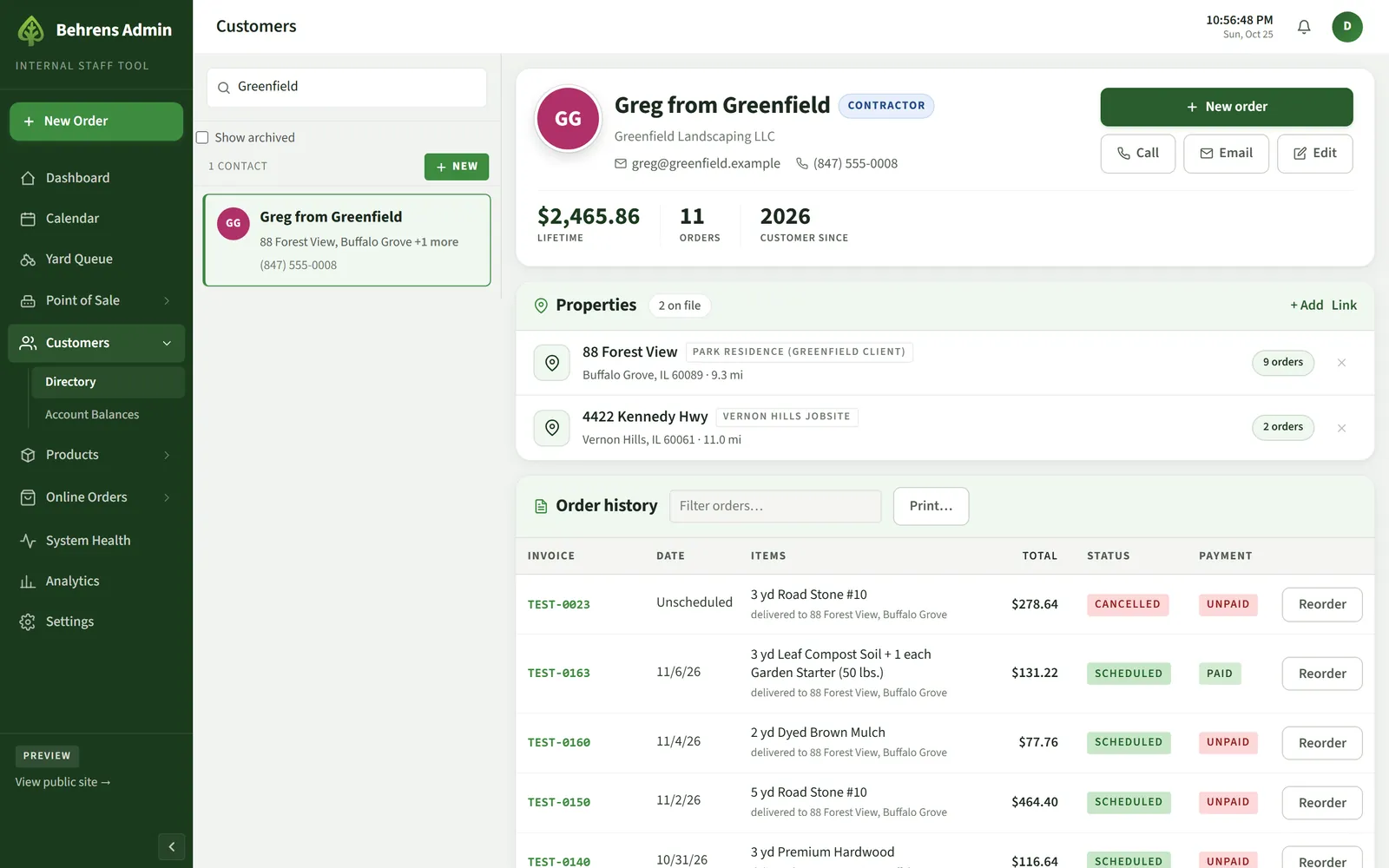
What you’re looking at 4 notes
- Customer type. Contractor accounts are flagged so the right pricing applies to their orders.
- History in numbers. Lifetime spend, order count, and how long they’ve been a customer.
- Every job site. Each property keeps its own address, distance from the yard, and notes.
- Orders and payment. Every order with its status and payment, plus one-click reorder.
Questions
About business applications.
How do we figure out what to build?
We start by walking through how the work happens today and where time is lost. Then we agree on one first piece with a clear scope and build from there.
Will it work with what we already use?
Usually. Many services offer ways for software to connect to them. If one doesn’t, we’ll look at imports, exports, or other options before replacing anything.
Can staff use it on phones and tablets?
Yes. The tools run in a web browser, so they work on the computers, tablets, and phones you already have.
Often paired with
-

Online Ordering & Payments
Let customers order, schedule, and pay online, connected to the payment system you already use.
More about online ordering -

Hosting, Security & Care
Fast, secure hosting with backups, monitoring, and someone looking after it.
More about hosting and care
Start with a conversation
You don’t need to know the technical solution. Explain what you want to improve, and we can work through the options together.