
Online Ordering & Payments
If customers call to place orders they could make themselves, online ordering saves time on both sides. BIT builds ordering that fits how you actually sell: delivery windows, pickup, quotes, or custom pricing.
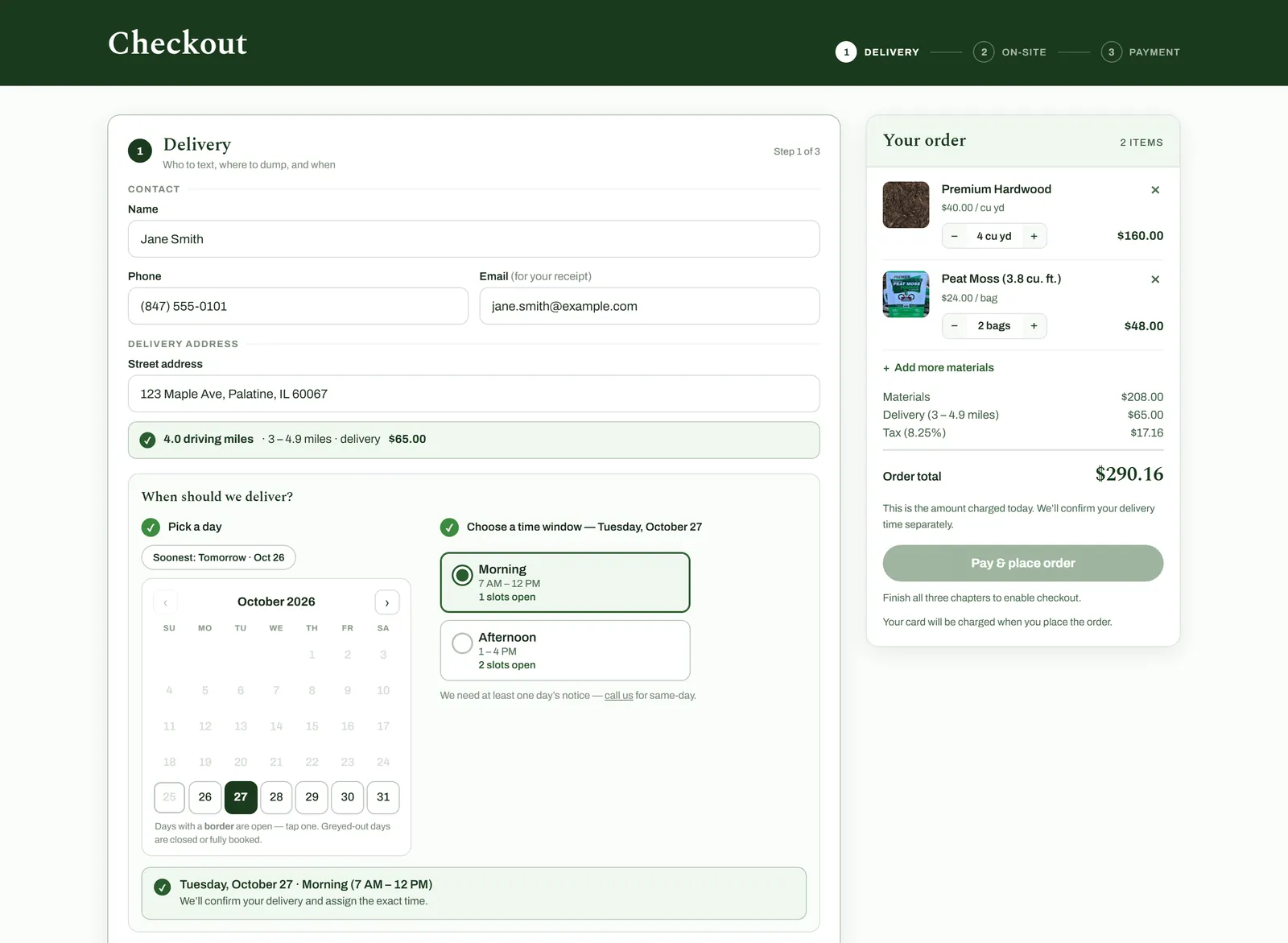
How it works
Online ordering is more than a cart. It has to know what you can deliver and when, charge the right amount, and land in your daily workflow without retyping.
If you already take payments with a processor like Clover, checkout can run through the same one, so your records stay in one place.
What BIT can help with
Your project includes only the pieces you need.
Carts and checkout
A checkout built around your products and pricing, with card, Apple Pay, and Google Pay.
Delivery and pickup scheduling
Customers choose from days and time windows that are actually open, checked against your capacity.
Payment processor integration
Payments run through your processor’s secure card fields, so card numbers never touch your site.
Receipts, invoices, and emails
Confirmation emails and PDF invoices go out automatically when an order is paid.
Fraud and double-charge protection
Bot checks, decline limits, and one-time payment keys, so a retry can’t charge a customer twice.
- Online ordering with Clover card payments, Apple Pay, and Google Pay.
- Delivery days and time windows checked against truck capacity.
- Paid orders arrive with an invoice and a place on the delivery calendar.
- Protection against card testing and double charges.
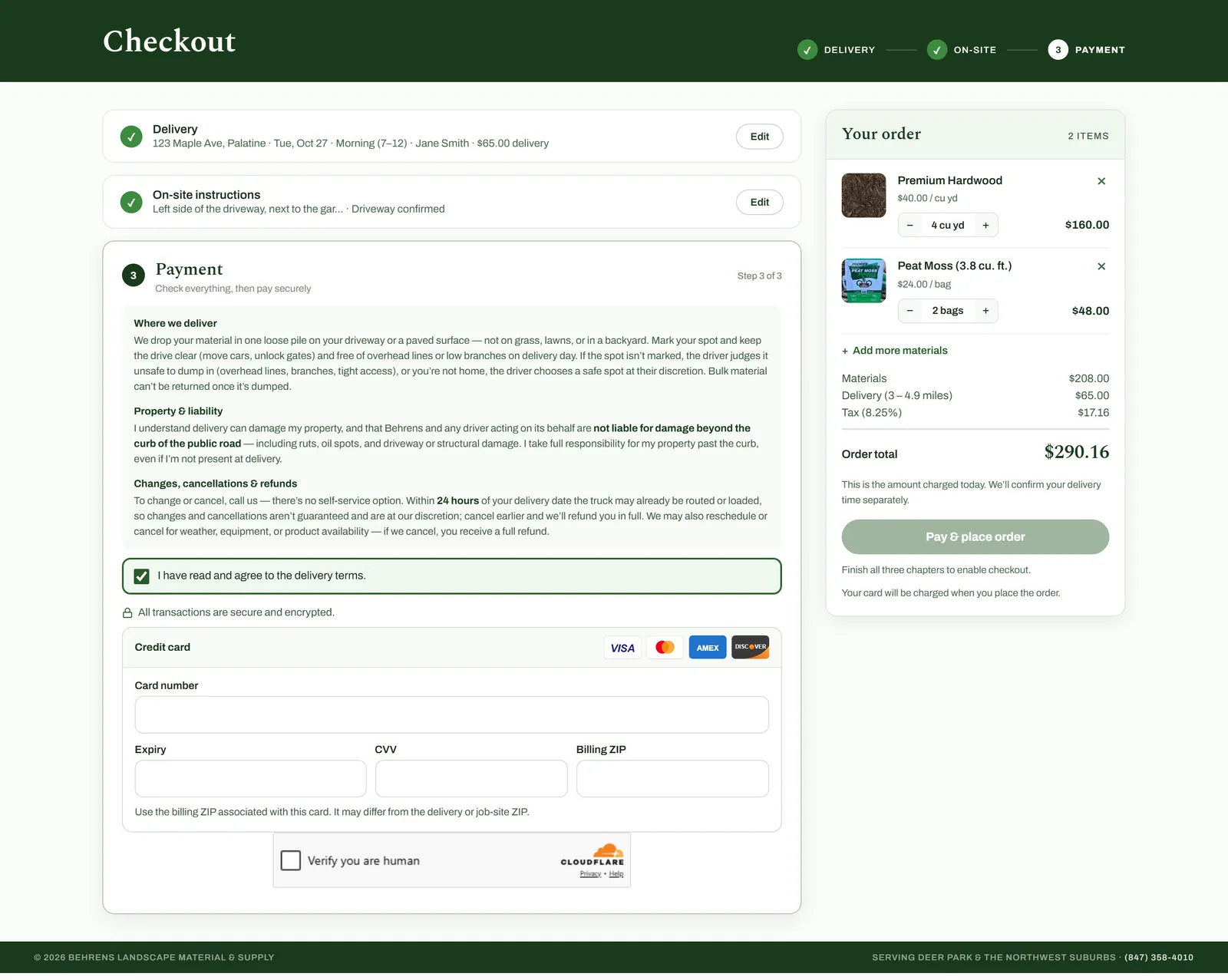
What you’re looking at 5 notes
- Review before paying. Each finished step is summarized with an Edit button.
- Terms agreed up front. Customers accept the delivery terms before they can pay.
- Clover’s secure card fields. These boxes are hosted by Clover. The card number goes straight to Clover; the site only receives a one-time token to charge.
- Cloudflare Turnstile. Confirms a real person is checking out before any card is charged. Most customers never see a challenge.
- One click, one charge. Every payment attempt carries a one-time key, so a retry after a dropped connection can’t charge twice.
Questions
About online ordering.
Can I keep my current payment processor?
Often, yes. If your processor offers online payments that other software can connect to, as Clover does, checkout can run through it. If not, we’ll talk through the options.
What happens after someone orders?
That depends on your workflow. Orders can create invoices, appear on a schedule, and send confirmations automatically, so staff confirm details instead of retyping them.
Often paired with
-

Custom Business Applications & Integrations
Staff tools built around how your business works, connected to the systems you already use.
More about business applications -

Analytics & Conversion Tracking
Know where customers come from, what they do on your site, and what to fix next.
More about analytics
Start with a conversation
You don’t need to know the technical solution. Explain what you want to improve, and we can work through the options together.